HAVE ANY QUESTIONS?
  15 YEARS OF EXPERIENCE


Are you tired of playing the “Did I close the garage door?” game? We have all been there. Cruising down Dodge Street on the way to work or strolling through the Old Market, that nagging little voice creeps in. Now, however, imagine turning your garage door into a smart, stress-free part of your Omaha home. With a myQ garage door setup, you can finally silence that voice and skip the worry.
Whether you are in Dundee or near the Old Market, convenience is key, especially during Omaha’s freezing winters and sweltering summers. That is where we come in. At Titan Garage Doors NE, we have helped countless homeowners upgrade to smart garage systems that make life easier.
Ready to take the guesswork out of your day? Let’s walk through how to set up your myQ smart garage opener—step by step.
Why Choose a myQ Garage Door Opener?
Before diving into the setup, it is worth asking—why choose myQ in the first place? At first glance, it’s a piece of tech, but it’s more than just another app on your phone. The myQ system stands out because it puts you in control, wherever you are. You can check in seconds, and that peace of mind is hard to beat.
For instance, have you ever driven halfway to work in West Omaha only to wonder if you left the garage door open? With a myQ garage door setup, that anxiety disappears. One tap on your smartphone, and you can close it remotely.
What You Need for a Smooth myQ Garage Door Setup
Like any good project, success starts with preparation. You don’t need loads of complicated tools, but you do need the right essentials. Here’s what you should have on hand:
- A myQ-compatible garage door opener or the myQ Smart Garage Control hub
- Strong 2.4 GHz Wi-Fi signal in your garage (we can test this for you during installation)
- Your smartphone or tablet with the latest myQ app installed
- A myQ account. It is free and takes less than a minute to create.
- Step ladder, just in case your opener’s controls are high up.
- Basic tools, like a screwdriver or a drill, if you are planning to install a smart garage door opener.
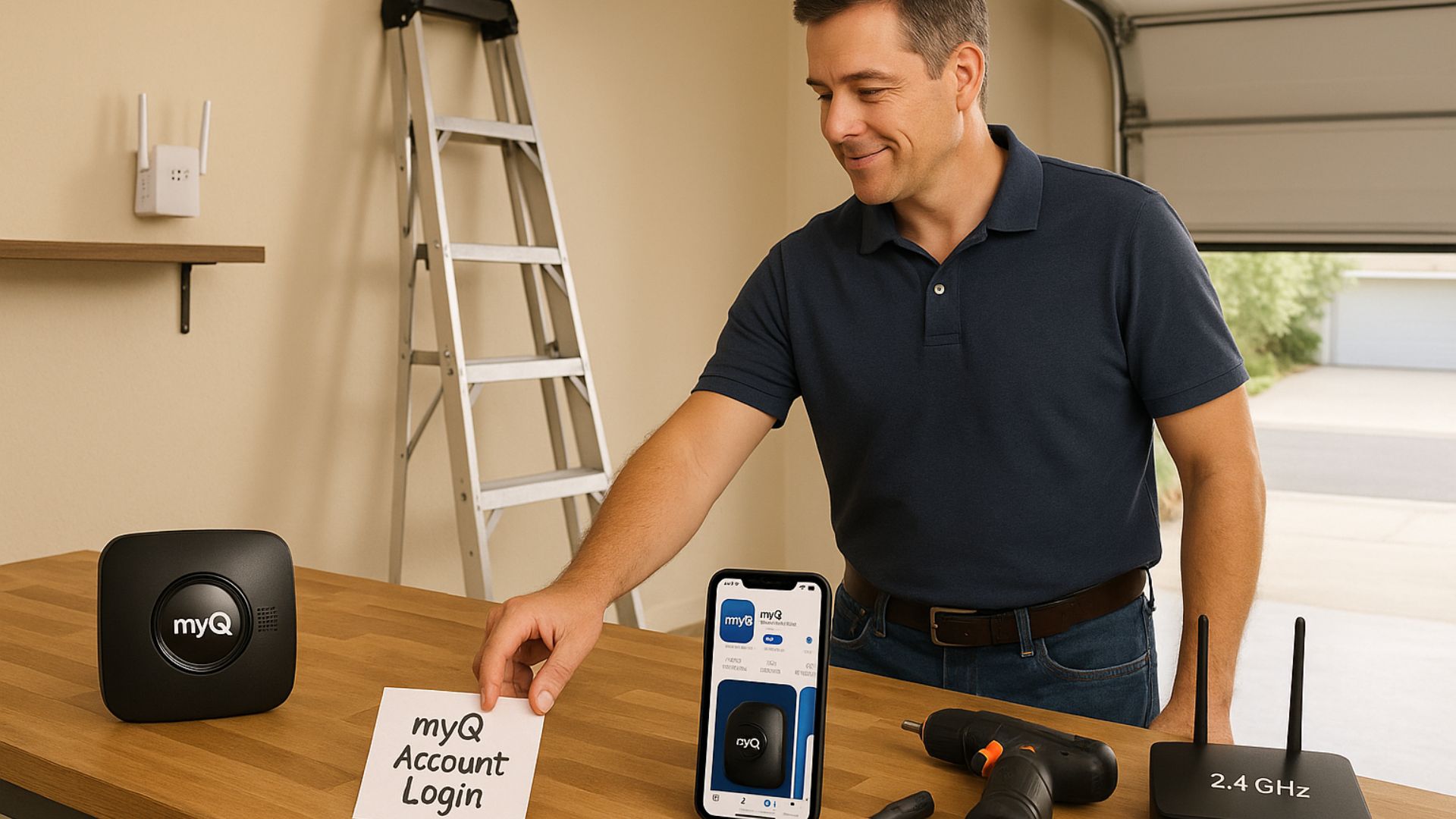
Pro Tip: If your garage is far from your router, consider a Wi-Fi extender. Many Omaha homeowners in Elkhorn and other large homes rely on this for a hassle-free setup.
Step 1: Download the myQ App and Create Your Account
First things first—grab your smartphone. Open the App Store or Google Play and look for “myQ.” Download the app and open it. From here, you will either create a new account or sign in if you already have one. Keep your login details handy—you will need them during setup.
Think of this step as getting the keys before you can start the engine. Without the app and account, the rest of the process won’t work.
Step 2: Add Your Device to the myQ App
Once you’re logged in, tap “Add Device” or the plus (+) sign. You will see a list of options. Now, select “Garage Door Opener” to get started.
At this point, the app will ask what kind of hardware you are using:
- A built-in Wi-Fi opener (often found in LiftMaster or Chamberlain models).
- A myQ Smart Garage Control hub, which works with most older openers.
If you pick the right option here, the app will guide you through the right steps to set it up.
Step 3: Connect Your Opener or Hub
Now, here’s where things get interesting.
For Built-in Wi-Fi myQ Openers
If you already have a smart-ready opener:
- Locate the Learn button on your opener. Colors vary by model—yellow, purple, red, or orange.
- Press and hold it until the LED starts blinking (this usually takes about five seconds).
- Next, go back to your phone and follow the app prompts to connect the opener to your Wi-Fi.
This step is the easiest route. Most newer LiftMaster and Chamberlain models sold in Omaha already have this feature.
For myQ Smart Garage Control Hubs
If you are adding the hub to an existing opener:
- Plug in the hub and mount it near your opener.
- Make sure your phone’s Bluetooth is turned on.
- Finally, follow the app instructions to pair the hub and install the small door sensor on your garage door.
In either case, the app will walk you through connecting the device to your Wi-Fi and naming your garage. Something simple like “Main Garage” works best.
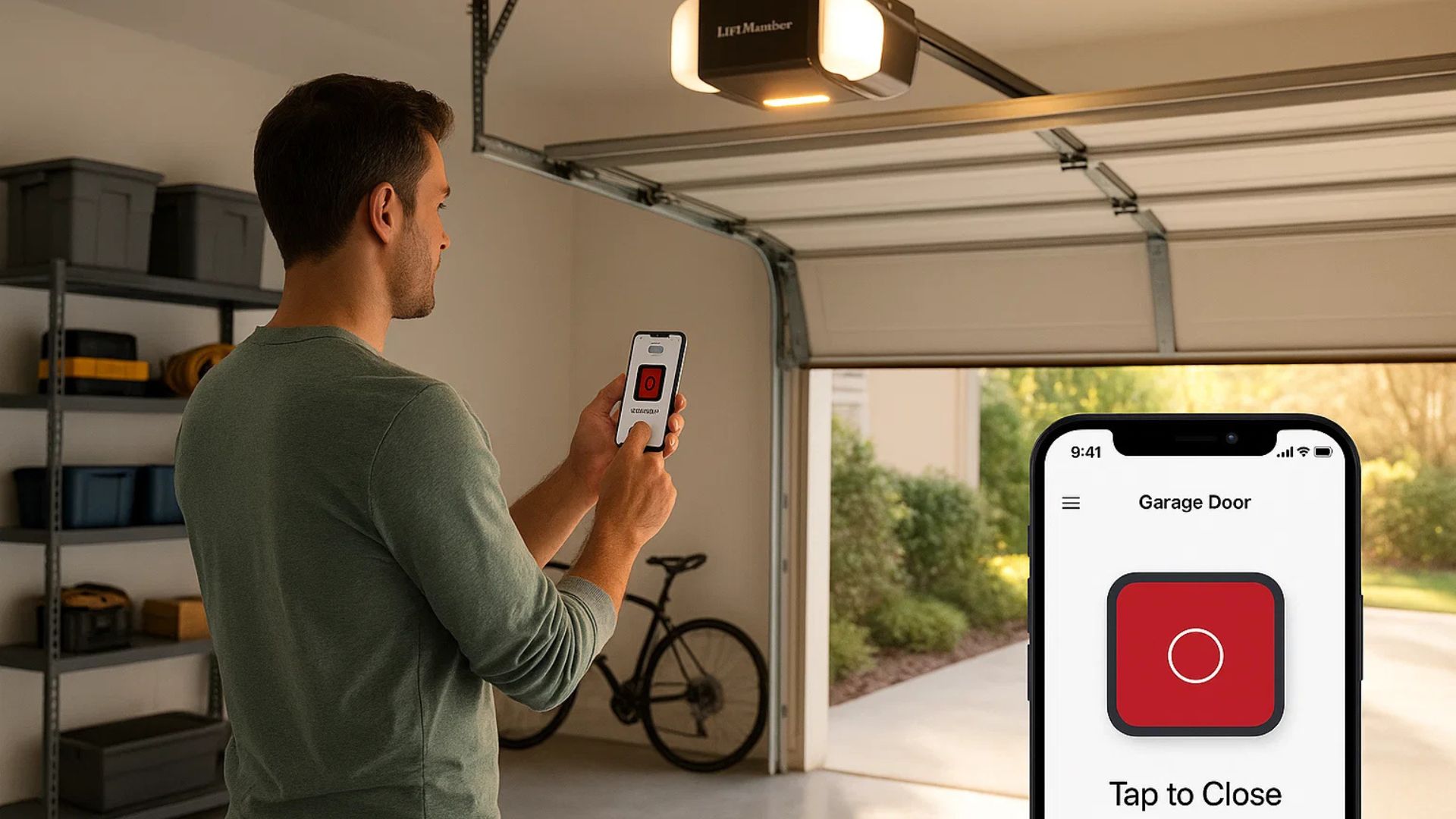
Step 4: Test Your Smart Garage Opener Setup
Before calling it done, test everything. Open the myQ app and tap the open or close button for your garage door.
If it works right away, perfect. If not, the fix is usually simple—a weak Wi-Fi signal or the device slipping out of pairing mode. Test from different locations—inside your home, in your driveway, and maybe even from a few miles away in Midtown Omaha. This way, you will know you are ready for real-world use.
Step 5: Connecting myQ to Your Smart Home
One of the best features of myQ is how it works with other smart devices. You can:
- Link it to Amazon Key for secure package deliveries straight into your garage.
- Pair it with Google Assistant or Alexa for voice control.
- Create routines with IFTTT or Apple HomeKit.
Just imagine telling Alexa to close the garage door when you start watching a movie in your Westside home. That is the power of smart garage door installation Omaha.
Keeping Your myQ System Secure and Reliable
Once your smartphone garage door opener is up and running, a little maintenance will keep it in top shape:
- Keep the myQ app updated.
- Replace the door sensor battery when the app sends an alert.
- Test your system every few weeks to confirm it stays connected.
- Keep your garage Wi-Fi signal strong.
- Inspect your garage door’s hardware for wear—springs, rollers, and cables need attention too.
This proactive care not only keeps your opener working but also extends the life of your entire garage door system.
Your Omaha Partner for Smart Garage Door Opener Setup
Setting up your myQ garage door might seem easy, but why take chances when you can have it done right the first time? Let Titan Garage Doors NE take care of your myQ garage door setup. Our certified technicians follow IDEA-certified steps, not shortcuts, so your opener works exactly as it should.
We are a licensed local business, and if you check our Google reviews and local projects, you’ll see thousands of Omaha homeowners vouching for us. From a simple opener upgrade to a complete smart garage installation, we have done it all.
Need the best smart garage door opener installed fast? We’ve got you covered. Call us today at (402) 513-0255 for myQ garage door setup nearby. Let’s make your garage as smart as the rest of your home.